

Setting up your seller profile: what buyers see, and what makes them write first
Your seller page is the only thing a buyer sees before deciding to write. What the header, Media, Feed and Info tabs show, what gets refused in a bio or caption, how posts reach the live feed and the leaderboard, and a checklist for the first hour.
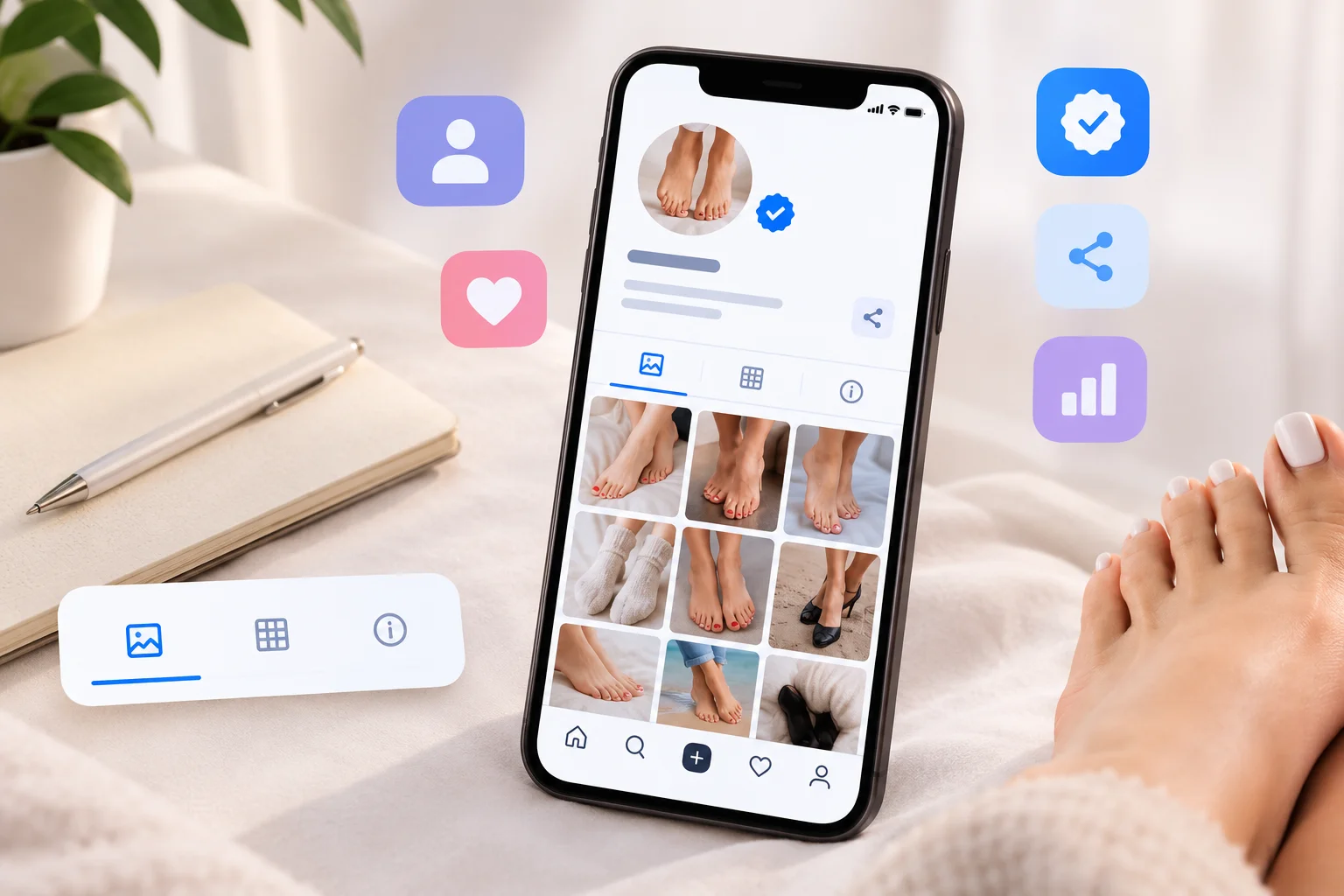
Most advice about seller profiles is written for sites where a face, a follower count and a price list do the selling. Here, a buyer sees an avatar, a username, one line of bio, a Verified badge and three tabs. That is the whole first impression, and nearly all of it is in your hands.
This post walks through what a buyer actually sees on your page, what the site refuses and why, how your uploads reach the live feed and the weekly leaderboard, and what to do in your first hour. None of it costs anything, because selling here is free.
Nothing is public until the ID check passes
Your page, your uploads and your place in the seller directory appear the moment your identity check is approved, and not before. Until then you can fill in every field and upload a first set, and only you can see them. The "joined" card on the live feed is written at approval too, so your first appearance in front of buyers is a verified one. The verification guide covers the check.
What a buyer sees first
The top of your page shows your avatar, your username, the Verified badge, your bio and a Share button. Underneath are three tabs:
- Media, your gallery, newest upload first. Share links, search results and the directory all land here, so this is the tab most buyers see first.
- Feed, your posts: every upload with its caption, hearts and comments, plus the small cards for a new avatar or a profile update.
- Info, the longer text and the figures: About me, Passions, Looking for, city and country, age, gender, feet size, height, weight, hair, eyes and body type.
In the directory a buyer sees even less: avatar, username, bio and the badge.
The avatar also appears on every post and every comment you write. It does not have to show your face; a clean, well-lit photo of your feet works, and many sellers use exactly that. A blank or default image reads as an abandoned account. Any photo up to 8 MB will do, and it is resized in your browser before upload.
The bio: 140 characters that do most of the work
The bio is a tagline, not a biography, with room for about two short sentences. The ones that work say what you offer and what makes your feet or your style distinctive, in plain words: arches, size, nail colours, a love of heels or hiking boots, custom sets, quick replies.
Three things do not belong in a bio, or in any other public text here:
- Contact details and other messaging apps. Handles, phone numbers, email addresses and the names of other apps are rejected when you save, including the usual disguised spellings. The message tells you which field was refused, never which word, so if a harmless phrase trips it, rephrase and save again.
- Sexual language. The Content Rules allow bios and captions that describe the content, your style or your offer in non-sexual terms, and nothing else. That is what keeps the catalogue open in most countries, and it applies to everyone.
- Anything that identifies you. Not a rule the site enforces, but it matters as much. Your real name, your street, your employer and your other accounts have no place on a page anyone can open. Selling without showing your face or your real name goes into this.
A payment link is not a contact detail and is allowed. Most sellers still keep theirs for the chat, because many payment apps show your legal name to anyone who opens the link.
The Info tab
The three long fields take up to 1,000 characters each. They are easy to skip, and a buyer who has reached the Info tab is interested, so do not. About me is for how you work: what you make, how custom requests go, how fast you reply. Passions gives a buyer something to open with. Looking for is where you say what kind of buyer you enjoy dealing with and what you do not do.
The figures are optional and shown in the units you pick: US or EU shoe size, height and weight in imperial or metric. Your birthday is never shown, only the age worked out from it. If you fill in only one figure, make it your feet size; it is the detail buyers ask about most.
Uploads, posts and captions
Every upload is a post. You can select up to 20 photos or videos at once, and they become one post on the live feed with up to four thumbnails, a count of the rest and one caption of up to 280 characters. The same items go to your Media tab individually. A set of six related photos therefore does more for you than six separate uploads: one strong post with a caption, instead of six thin ones.
- Photos can be JPEG, PNG or WebP up to 8 MB each. They are re-encoded in your browser before upload, so the camera's hidden data, including location, is gone from the stored copy.
- Videos can be MP4 or MOV up to 100 MB and 60 seconds. They are converted for streaming and a poster frame is captured for the grid, so make the first second count.
- Captions follow the same rules as the bio: describe the set, your style or your offer in plain language, no contact details, no sexual wording. You can edit a caption later from the post, and buyers see an "edited" hint.
- Every upload asks you to confirm that you are the only person in it, that you are 18 or older, that you made it and that it follows the rules. Feet only, face optional, nobody else in the frame.
What happens after you post
Your post appears at the top of the live feed and in the following feed of every buyer who follows you. Anyone with an account can heart a post or follow you; commenting needs the ID check, like everything else that involves talking. You are notified of each new follower, heart and comment, your own profile has a Followers tab, and every post has a "Hearted by" list that only you can see.
Posts also feed the weekly leaderboard, which ranks sellers over a rolling seven days and is recalculated twice a day. The points are public:
| Activity | Points |
|---|---|
| An upload | 10, plus 2 per photo |
| A livestream you host | 15 |
| A heart on your post | 3 |
| A comment on your post | 2 |
| A new follower | 5 |
Hearting or commenting on your own posts earns nothing, and neither does editing your profile. A seller who posts a set a few times a week and goes live now and then reaches the board; a seller who uploads once and waits does not.
Sharing your page
The Share button on your page copies a link that opens your Media tab, offers a ready-made bio line with the link, and shares directly to X, Reddit, WhatsApp and email. The link carries a small tag that tells us the visit came from a share, nothing more. Use it where self-promotion is welcome, and put it in the bio of the accounts you already have.
Your first hour, in order
- Finish the ID check, so that everything below goes public.
- Upload an avatar.
- Write the bio, then the three Info fields and your feet size.
- Upload one set of five to ten photos, or a short video, with a caption.
- Share the link once, somewhere it is allowed.
- Open the buyers directory, which verified sellers can browse, and write to a few people whose profiles you liked. New sellers can open a limited number of conversations a day in their first week, so read before you write; your first week as a seller explains the limit.
Being straight about this
- A finished profile does not guarantee a message. It removes the reasons a buyer has to skip you, which is a different thing.
- Editing your profile does not move you up any list. The feed shows a profile update as one small card, and the leaderboard ignores edits entirely. New posts are what move you.
- Videos are uploaded as recorded. Photos lose their hidden data on the way in; videos do not, so turn location tagging off in your camera app before you film. The seller toolkit covers this and the watermark question.
- We cannot stop a screenshot. Nothing on any site can. A watermark, and a gallery that shows your range rather than your best work at full size, are the practical answers.
Where to go next
The seller toolkit covers light, backgrounds and foot care without asking you to buy anything. Video calls and private livestreams explains the Live tab, the fastest way to be seen once your page is ready. The Content Rules are short and worth reading once, and the FAQ answers everything else.
Your page is the one part of selling here that is entirely yours to decide. Finish it before you write to anyone.